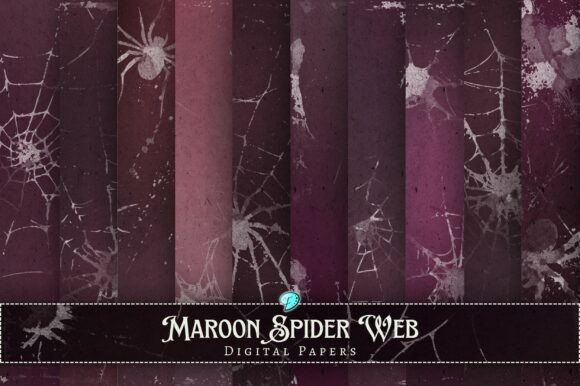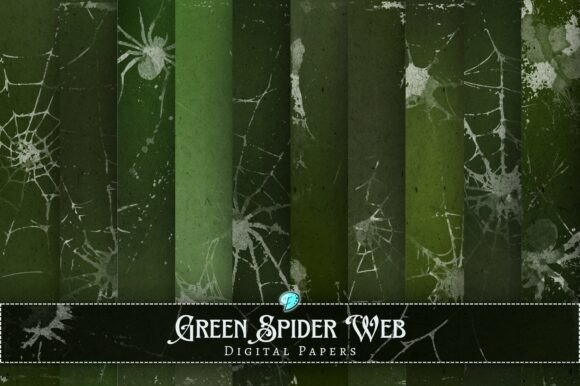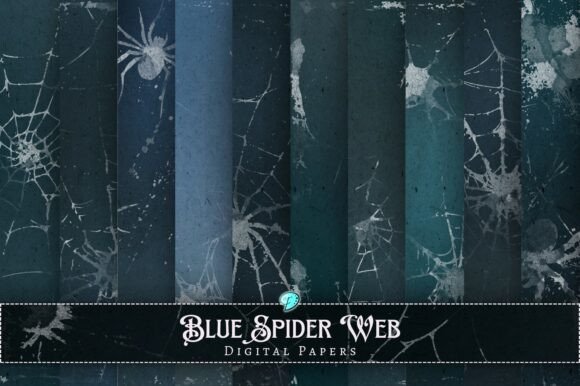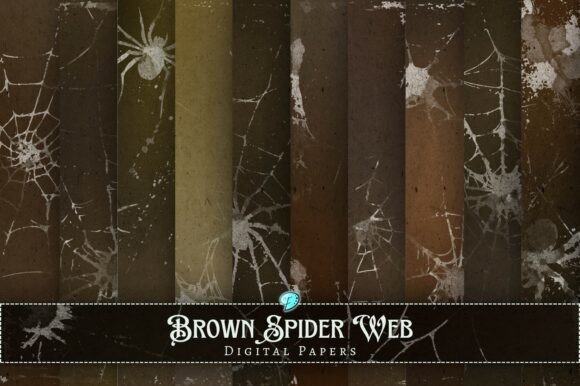
Spider Web Distressed Overlays: Creative Tools for Digital and Print Crafting
What Are Spider Web Distressed Overlays?
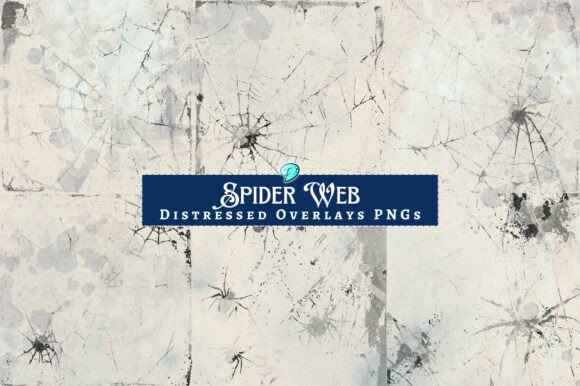
Spider Web Distressed Overlays are versatile digital design elements designed for creators, crafters, and professionals seeking to enhance their visual projects. Each overlay is a transparent PNG file measuring 2000 x 2000 pixels at 300 dpi, ensuring high resolution and clarity whether used digitally or in print. These overlays feature spider web designs with a distressed texture, adding a unique, thematic touch to a wide variety of creative works.
Key Features and Benefits
The Spider Web Distressed Overlays pack includes 10 distinct files, each offering a slightly different style or texture. This variety allows for flexibility in design while maintaining a cohesive aesthetic. The overlays are ideal for:
- Printable papers and digital scrapbooking
- Junk journaling and ephemera creation
- Card making and envelope embellishments
- Background textures for digital art and mixed media
Because they are transparent PNGs, they can be easily layered over other images, textures, or backgrounds without interfering with the underlying design elements.
Who Can Benefit from Spider Web Distressed Overlays?
These overlays are particularly valuable for:
- Crafters looking to enhance handmade cards, scrapbook pages, or altered art projects with thematic textures.
- Digital artists and graphic designers seeking to add depth and visual interest to digital compositions.
- Small business owners creating themed marketing materials, social media graphics, or printable products.
- Print-on-demand creators who need high-quality design assets for products like stickers, journals, or seasonal decor.
Whether you're creating for personal enjoyment or commercial use, Spider Web Distressed Overlays can elevate your designs with minimal effort.
Real-World Applications and Creative Ideas
Here are some practical ways to incorporate these overlays into your projects:
- Halloween-themed designs: Use the overlays as background textures for digital cards, invitations, or blog graphics.
- Junk journal pages: Print and cut out sections of the overlays to use as ephemera, tags, or envelope inserts.
- Scrapbooking layouts: Layer the overlays over photos or patterned paper to create a mysterious or vintage atmosphere.
- Social media content: Apply the overlays subtly over promotional images to give your brand a cohesive, edgy look.
- Printable planners: Add a touch of intrigue to weekly spreads or themed sections using these overlays as dividers or accents.
Since each overlay is 300 dpi and high resolution, they can be scaled and printed without losing quality, making them ideal for both digital and physical crafting.
Technical Considerations and File Management
The Spider Web Distressed Overlays come in a ZIP file that includes MacOSX files. Windows users should be aware that some files in the package may have names starting with ._—these are metadata files used by Mac systems and can be safely ignored. Always cross-reference the contents of the ZIP file with the product description to ensure all intended files are present.
If you encounter any issues or have questions about the files, the creator is available for direct support through social media or messaging platforms. This ensures a smooth experience from download to implementation.
Evaluating Suitability for Your Project
When deciding whether to use Spider Web Distressed Overlays, consider the following factors:
- Theme: These overlays work best for spooky, vintage, or mysterious themes. If your project leans toward minimalism or modern aesthetics, these may not be the best fit.
- Medium: They are suitable for both print and digital use, but their transparent PNG format makes them especially powerful in layered digital compositions.
- Experience level: Even beginners can use these overlays effectively by placing them over existing designs or adjusting blend modes in design software.
For those new to using overlays, many design programs such as Photoshop, Procreate, and Canva support transparent PNG layers, making integration straightforward.
Limitations and Practical Expectations
While Spider Web Distressed Overlays offer a lot of creative potential, it’s important to understand their limitations:
- They are not vector files, so extreme resizing may affect quality in some contexts.
- Because they are overlays, they work best when combined with other design elements rather than used alone.
- They are not editable beyond adjusting opacity, blending, or cropping, so customization is limited to what your design software allows.
Despite these considerations, the overlays provide a high return on investment for their price, especially for creators who frequently work with themed or textured content.
Why These Overlays Stand Out
Unlike generic design assets, Spider Web Distressed Overlays combine hand-drawn illustration with digital enhancement, giving them a unique, tactile feel. The creator’s background in mixed media and found imagery adds authenticity and depth to each overlay, making them more than just decorative elements—they become part of the storytelling in your design.
Whether you're creating a digital art piece, a printable Halloween card, or a vintage-style junk journal page, these overlays help you achieve a professional finish with minimal effort.
Conclusion: Enhance Your Creative Projects with Purpose
In summary, Spider Web Distressed Overlays are more than just decorative assets—they are tools that help you convey mood, theme, and artistic depth in your creative work. With their high resolution, transparent format, and flexible use cases, they’re ideal for both digital and print-based creators. Whether you're a hobbyist, a professional designer, or someone building a creative brand, these overlays offer an accessible way to elevate your visual storytelling.
So, if you're looking for a way to add texture, mystery, or thematic flair to your next project, consider adding Spider Web Distressed Overlays to your creative toolkit. Explore the full range of possibilities and see how these overlays can transform your designs with just a few clicks.